1. The two types of alert
Solano offers two very different alert logics, depending on what you're trying to watch for.
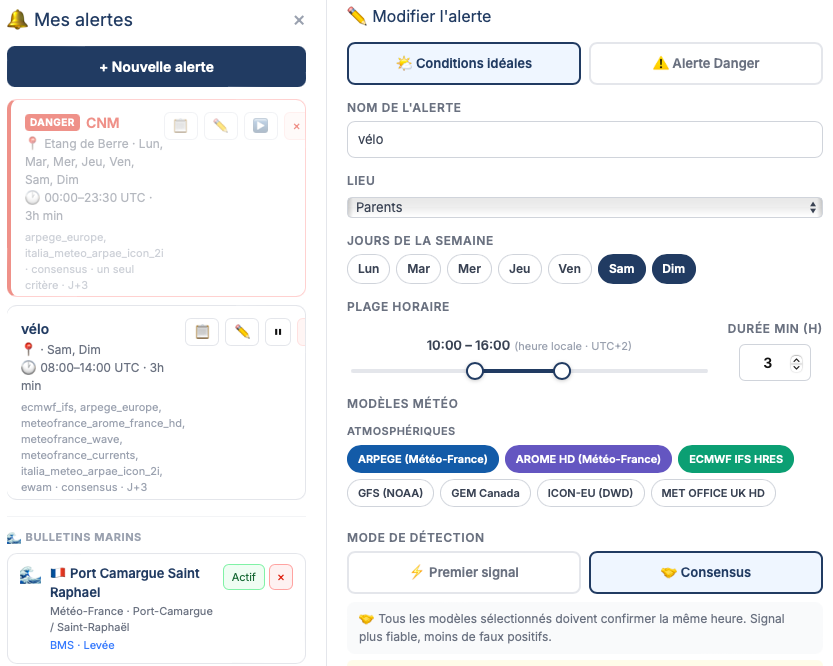
Both types use the same monitoring engine: Solano checks the forecasts every 30 minutes and sends you a notification as soon as a condition is met.
2. Creating an alert step by step
Alerts are accessed from the Alerts panel in the navigation bar. An account is required.
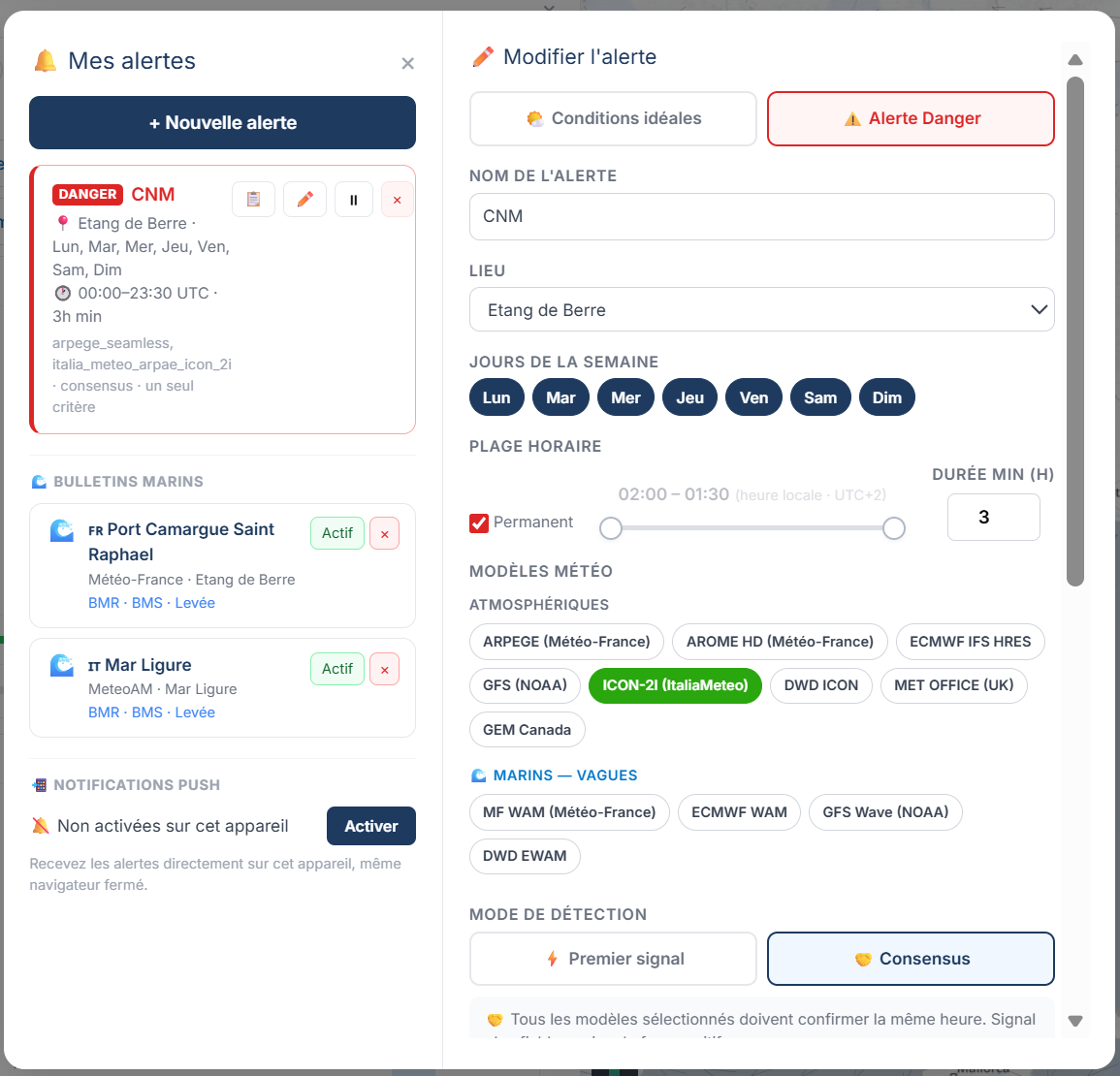
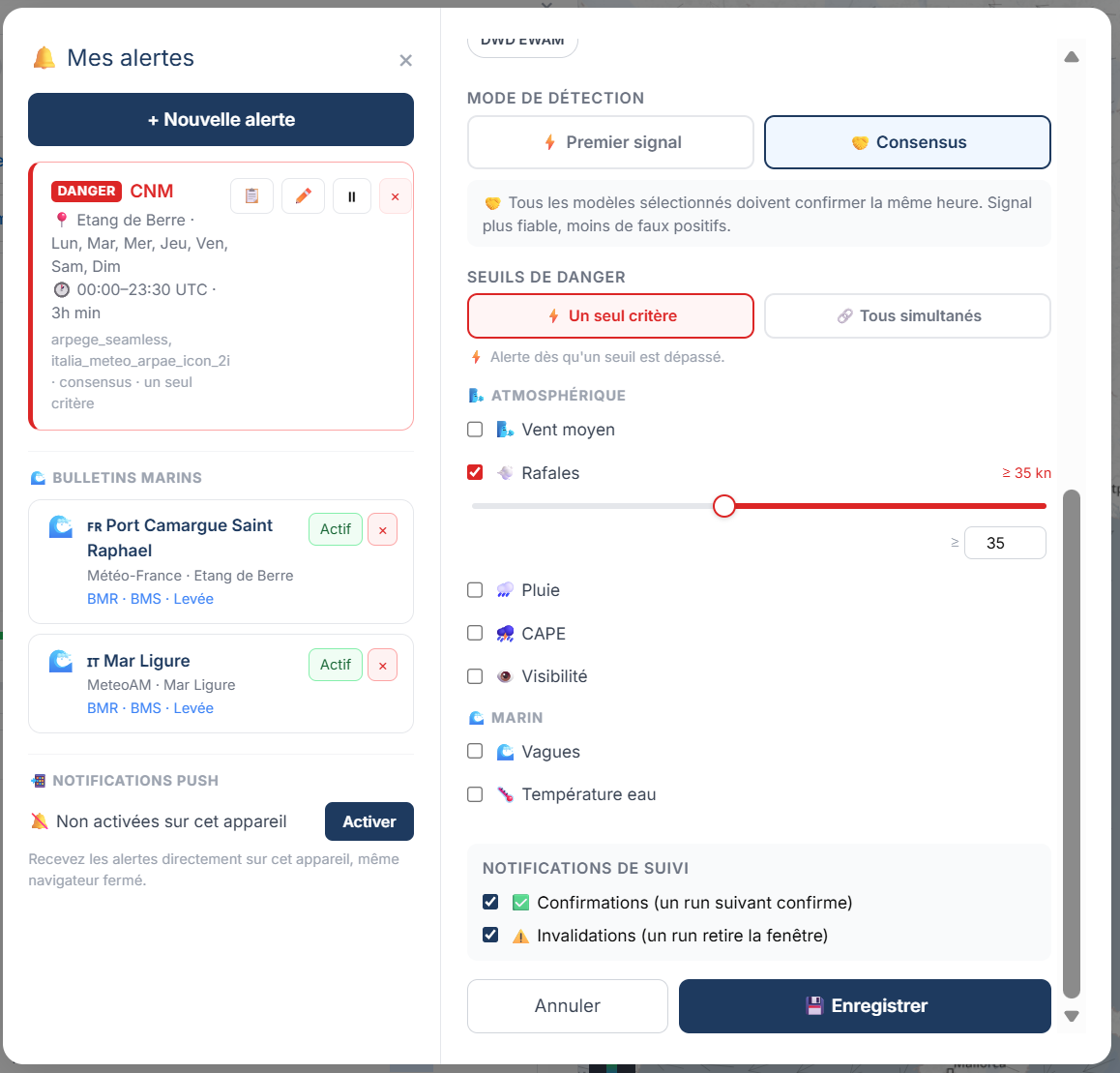
Alerts panel: the list of active alerts (left) and the threshold configuration for a Danger alert (right).
3. First signal or consensus?
The trigger mode determines how many models must confirm the condition before you receive a notification.
| Mode | Trigger | Recommended use |
|---|---|---|
| First signal | As soon as a single model detects the condition | Rare ideal conditions, active monitoring — you want to be alerted early even if uncertain |
| Consensus | Only when all active models agree | High-stakes situations — you prefer fewer but more reliable notifications |
4. The events: detection, confirmation, invalidation
An alert is not just an email at trigger time. Solano tracks the evolution of the condition over time and can send you several types of notification.
🔍 Detection — always sent. The condition has just been met for the first time.
✅ Confirmation — optional. A later run confirms the condition: the window is still there, and a new run validates it again. Useful for reinforcing confidence.
🔄 Invalidation — optional. The condition that was met no longer is: the window has disappeared between two runs. Useful for knowing that the forecast has changed and the outing is no longer feasible.
Turn on Confirmation and Invalidation if you want full tracking. Turn them off if you prefer a single signal and no noise afterwards.
5. Email and push notifications
Every alert automatically sends an email to your account address. The email contains:
- The alert name and the place concerned
- The detected window (date, start and end time)
- The forecast values for the variables concerned
- A "See the weather" button — a direct link to the Solano map positioned on the right point and date
📲 Push notifications
In addition, you can turn on push notifications on your device — they cover all your alerts (weather and bulletins) with no extra per-alert configuration.
You turn them on from the Bulletins panel → "Enable notifications" button. A single activation per device is enough.
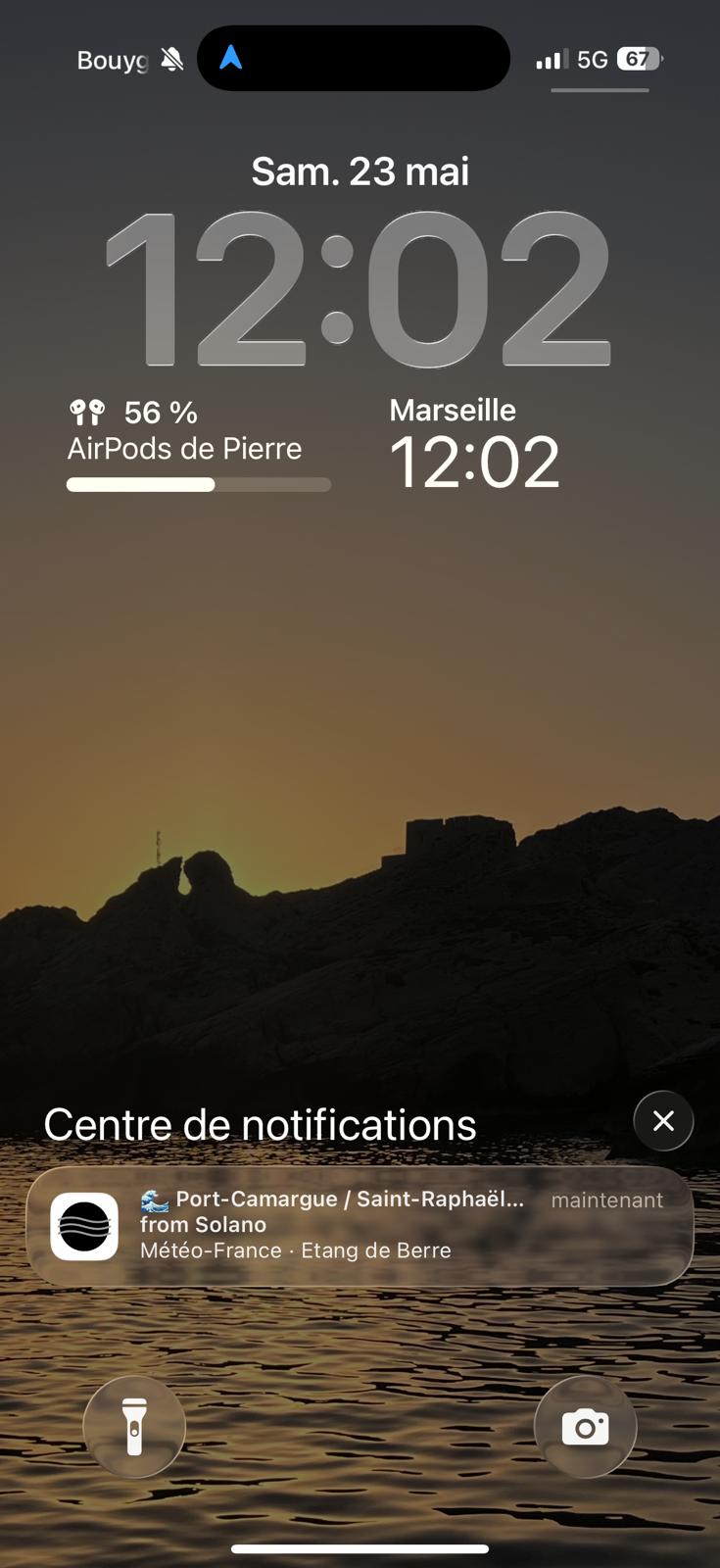
A Solano push notification received on an iPhone — a Météo-France marine bulletin alert.
iOS: push notifications require Solano to be installed as a PWA (Add to Home Screen from Safari). Once installed, notifications work like any native app.
6. Tips for avoiding noise
- Use Consensus mode if you're getting too many notifications — it filters isolated signals and only alerts you when several models agree.
- Restrict the days of the week. If you only go out at weekends, activate the alert for Friday, Saturday and Sunday only.
- Limit the notice horizon. The J+2 to J+7 selector in "Follow-up notifications" controls how far the scheduler looks. A J+7 alert will trigger long before it's reliable — J+3 or J+4 is often the right compromise.
- Turn off Confirmation if you don't need it. Detection alone is enough in most cases — Confirmation only adds value if you want to track how an already-detected window evolves.
- Create separate alerts per activity. A "Light-wind sailing" alert (wind 8–18 knots) and a "Diving" alert (wind <12 knots, waves <0.5 m) are more useful than a single generic alert.